Build a no-code AI agent for Slack
Teams already running Runbear
- Matillion
- Fireflies.ai
- BCG
- Minted
- Mercor
- Tabs
- TaxDome
- Peak Ace
- Storykit
- SYPartners
How to add an AI agent to Slack
Boost Your Team with Runbear
Lead the Innovation
Save your teams' hours and have more happy clients.
Bring Your AI Ideas for Work to Life
Create an AI bot that lives in your workflow in a day, without help from engineering teams.
Share your AI with your team.
Achieve exactly what you want. Pay for the AI for your entire team, instead of per member.
Related Slack workflows
Explore Slack workflows for churn detection, AI ticket routing, and stalled support request reminders.
See the Peek.us case study, connect through the existing Salesforce integration, or review pricing and book a demo.
Set up a Slack AI agent in three steps
- 01
Describe the job
Tell Runbear in plain English what the agent should handle, such as answering policy questions or triaging support requests.
- 02
Connect knowledge and tools
Add Notion, Google Drive, Confluence, or a website as knowledge, and pick the tools it can act in from 2,000+ integrations.
- 03
Add it to Slack
Install from the Slack Marketplace and invite the agent to a channel. It always answers @mentions and DMs, and you can also turn on replies to keywords or to every new message.
Rolling it out to a whole team? One agent can serve every channel, and tools connected with per-user auth act with each person's own account. See shared AI agents for teams.
AI where your team already works
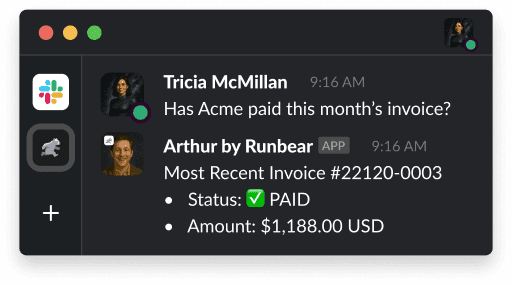
AI learns and acts like your team
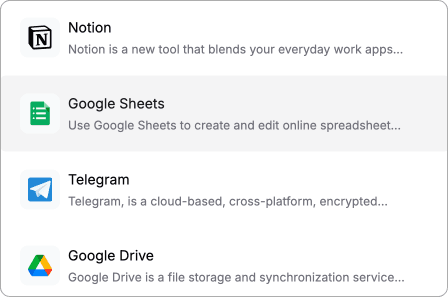
AI knows what to take off your plate
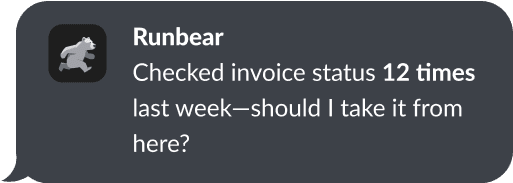
Hear from our Customers
“Runbear completely changed how we onboard external consultants. They get answers in seconds instead of waiting for me to come back from meetings. I got my calendar back.”
“Really satisfied with Runbear—its seamless Slack integration for our tasks and documentation has boosted our team's efficiency and met our specific needs perfectly.”
“Runbear simplifies integrating Assistants and seamlessly connects webhooks/APIs to Teams, eliminating no-code challenges.”Read the case study
“It’s saved us a lot of time. Before, we had people scouring the Slack channels for answers. Now they can just ask these questions directly to the docs and get the answers they need without human intervention.”
“Runbear has made it very accessible to play around with OpenAI without needing a developer’s help. The ease of use and quick integration with platforms like Slack have been invaluable.”
“Runbear worked seamlessly and was very easy to use, helping our TAs create custom AI assistants for each course.”
“Discovering Runbear was a life saver for our project. It enabled us to swiftly integrate our AI assistant with Slack, enhancing team collaboration and speeding up our testing process.”
“Runbear’s simplicity and customer support is second to none. We explored all sorts of application providers, but Runbear stood out for its innovation and support. Runbear allowed us to integrate seamlessly and provided prompt customer support throughout the entire process.”
“Looks like Runbear can solve a lot of our headaches and help automate our law firm!”
Slack AI agent FAQ
Stop being the bottleneck. Start being the leader.
Your team needs your judgment, not your availability. Let Runbear handle the first pass so you can focus on the work that actually matters.
Want a walkthrough first? Book 20 minutes with our CEO